Introduction
In the world of data-driven marketing, precise conversion tracking is the backbone of a successful strategy. However, even seasoned experts often encounter a common hurdle: WPForms not firing in Google Tag Manager (GTM). After hours of technical auditing, I identified the root cause and implemented a robust solution that goes beyond the standard “Form Submission” trigger.
The Challenge: The Illusion of Form IDs
Standard GTM setups rely on the built-in “Form Submission” trigger, often filtered by a “Form ID.” While this works for simple HTML forms, modern plugins like WPForms utilize AJAX (asynchronous requests) to submit data without refreshing the page. This often results in GTM failing to detect the event, even when the Form ID seems correct.
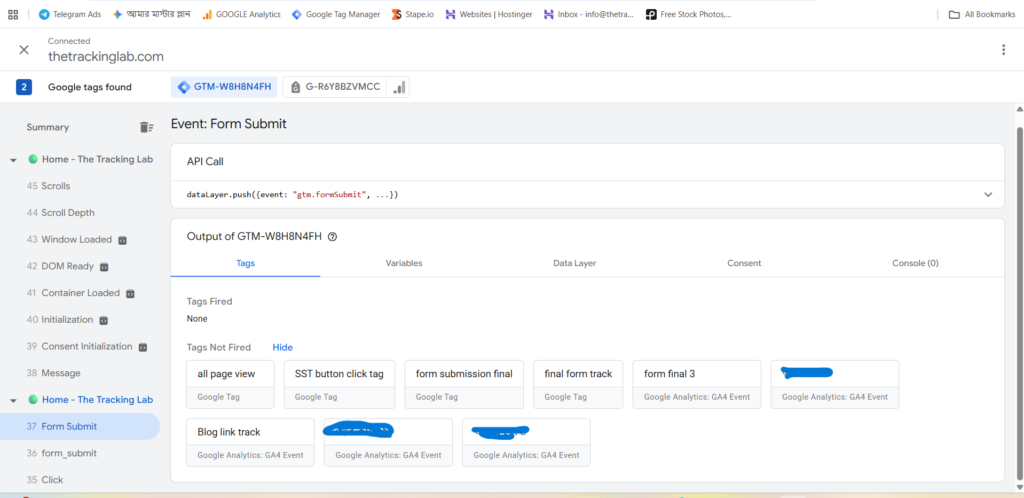
Here we can see GTM’s built-in Form Submission trigger, which fails to detect the WPForms AJAX-based submission.
The Technical Audit: Peeking into the Data Layer
To solve this, I moved away from the basic DOM-based triggers and audited the Data Layer. During a live submission test in GTM Preview Mode, I discovered that the system was pushing a unique event named form_submit instead of the standard gtm.formSubmit.
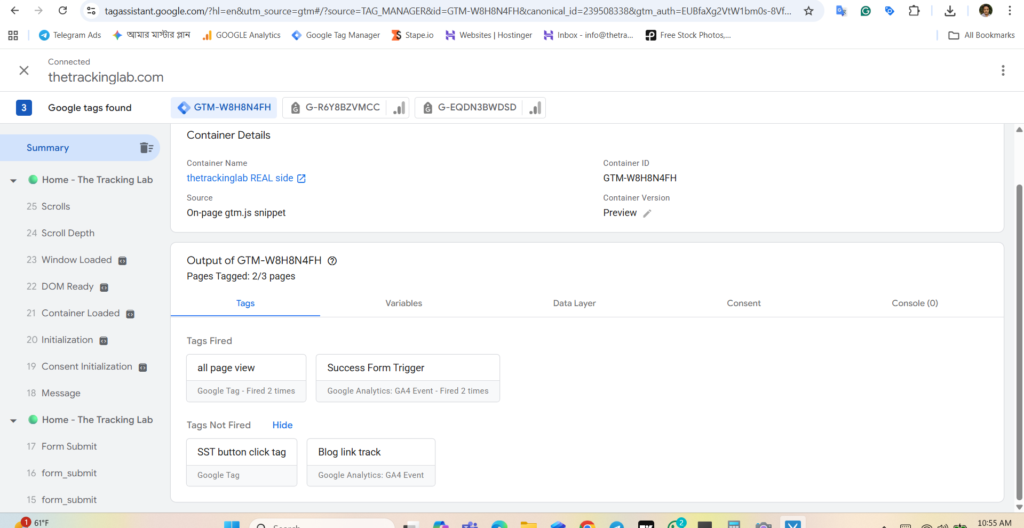
During testing in GTM Preview mode, we identified a custom event being pushed into the Data Layer instead of the standard form submission event.
The Solution: Implementing a Custom Event Trigger
Instead of fighting with inconsistent Form IDs or Classes, I built a Custom Event Trigger.
- Trigger Type: Custom Event.
- Event Name:
form_submit. - Condition: Fired on all occurrences of this specific data layer push.
By mapping this trigger to a GA4 Event Tag, the tracking became 100% accurate, bypassing the limitations of AJAX-based form submissions.
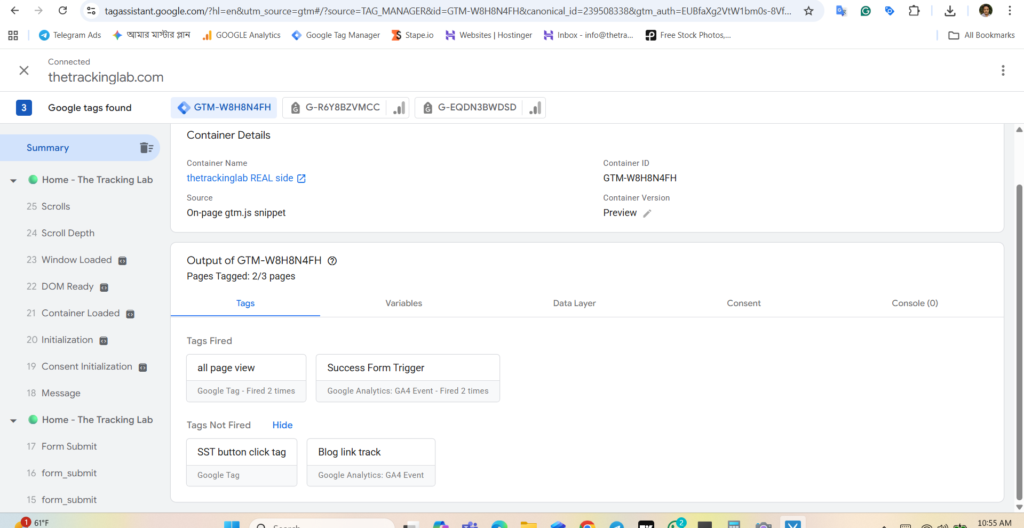
This custom event trigger listens to the exact event sent from the Data Layer, ensuring accurate tracking of the WPForms submission.
Conclusion
This experience reinforces a vital lesson in tracking: Always trust the Data Layer over the UI. If your conversion data is missing, it’s likely a technical mismatch between the form’s behavior and your GTM configuration.
Need help optimizing your tracking architecture? Let’s connect and ensure your data is as accurate as your vision.